Marie

The Best Headshot for LinkedIn and Email: Why That Tiny Circle Matters

If you've landed here wondering whether you need a profile picture on your work email and LinkedIn — and what it should actually look like — here's the short version:
Yes, you should have one. And it should be a clean, current, head-and-shoulders photo with a simple background and a warm, approachable expression.
That's the whole standard, in five points:
- Tight framing. Your face fills most of the circle. No full torso, no wide shots.
- A clean background. Solid colors or a simple gradient. No busy patterns, no wedding guests behind you.
- Good lighting. Even and flattering, no harsh shadows or dim, grainy quality.
- A friendly expression that matches your work. Whether you smile depends on your field, but it should feel approachable, not stiff.
- A recent photo. People should recognize you when they meet you.
That's the standard. If you want the why behind each of these, and a trick for managing multiple accounts, keep reading.
Your Profile Picture Is Everywhere
Think about how many places your photo shows up in a single workday:
- Your email inbox (and everyone else's)
- Calendar invites
- Slack or Teams
- Zoom waiting rooms
- Google Docs comments
- CRM systems
- Project management tools
That small circle follows you around constantly. It's working overtime, and most people never give it a second thought.
Here's what's wild: your colleagues and clients might see your profile picture dozens of times a day. It pops up every time you send an email, leave a comment, or join a meeting. Over weeks and months, that tiny image becomes deeply familiar. It shapes how people picture you when they read your messages. It influences whether your emails feel warm or cold, approachable or distant.
And yet most people treat their profile picture like an afterthought. They crop an old vacation photo, use something from five years ago, or worse, leave it blank entirely. A grey silhouette doesn't exactly scream "I'm a professional you can trust."
Consistency Where It Counts
Here's where people get tripped up: they think consistency means using the same photo everywhere. It doesn't.
What matters is being recognizable in the contexts where you want to be seen as your professional self.
Match these:
- Business email / Google Workspace
- Company Slack or Teams
- Professional Instagram (if you have one)
- Zoom
- Your website
These can be different:
- Personal email
- Personal social media
- Dating apps (please)
I have two Instagram accounts: one for business, one for personal. The business profile picture matches my LinkedIn. The personal one? That's just for me.
The goal isn't uniformity for its own sake. It's intentional recognition. When a client sees my face on an email, a calendar invite, and then walks into my studio, there's no disconnect. They already feel like they know me.
This matters more than you might think. Trust builds through familiarity. When someone sees the same face across multiple touchpoints, it creates a sense of reliability. You become a real person to them, not just a name in their inbox. By the time you meet in person or hop on a video call, you've already established a visual connection. That's a small but meaningful head start on any professional relationship.
If you think this is overstated, look at what the biggest companies in the world do. Google Business and QuickBooks don't say "Contact Support." They say "Talk with Vanessa" next to a friendly headshot. These are companies with armies of data scientists, and they've measured that a face plus a first name converts better than a logo plus a label. They put a human on the front of their most automated, least personal interactions because the face does the trust work regardless of what's behind it. If a faceless corporation won't let you reach support without first introducing you to a smiling face, the grey silhouette on your own email is doing you no favors.
The Background Color Trick
Here's a trick I lean on: if you're juggling multiple accounts, consider using different background colors for each profile picture.
This works especially well if you use the same headshot across accounts. Same face, different background = instant visual distinction.
For example:
- Work account: grey background
- Personal account: warm gold
- Side project: sage green
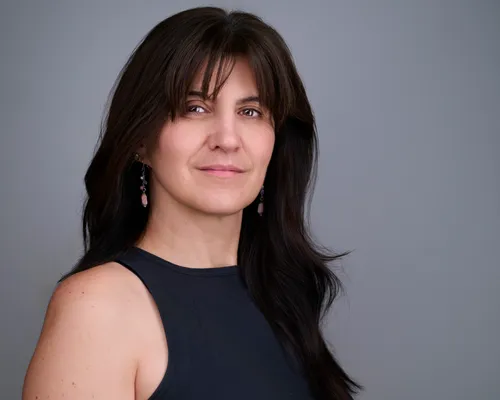


You'll never accidentally send a personal email from your work account again. (Or at least, you'll catch it before you hit send.)
This trick is also useful if you manage accounts for different brands or clients. I know freelancers and consultants who use this system to keep their various roles straight. When you're moving fast between projects, that split-second recognition saves mental energy. And anything that reduces friction in your workflow is worth considering.
What Makes the Best Headshot for LinkedIn and Email?
A professional headshot hits all five of those marks by default — it's built to read well at small sizes. In fact, this is one of the most practical uses for a good headshot. You'll use it every day, across dozens of platforms, for years.
Let's talk about some common mistakes I see. First, framing that's too wide. If your headshot includes your full torso or a lot of background, your face becomes a tiny speck when it's cropped into a circle. You want your face to be the main event, not a small detail in the corner.
Second, busy or distracting backgrounds. That photo from your cousin's wedding might be flattering, but the guests in the background and the string lights competing for attention don't do you any favors at 40 pixels wide. Solid colors or simple gradients work best because they let your face stand out.
Third, outdated photos. If your headshot is from 2015 and you've since changed your hairstyle, grown a beard, or started wearing glasses, you're creating a disconnect. The goal is recognition. When someone meets you on Zoom or in person, they should think "oh, there you are" not "wait, who is this?"
Finally, the bigger trap is the fake smile. A forced grin reads instantly: the mouth stretches while the eyes stay flat, and the whole face looks like it's performing rather than feeling. People can't always name why a headshot feels "off," but a hollow smile is usually the reason. A real smile shows up in the eyes, and getting there is less about saying "cheese" than actually feeling something in the moment, which is a big part of what a good photographer is doing while you think they're just clicking the shutter. My guide on how to look your best in your headshot covers clothing, angles, and confidence — the things that matter beyond just the crop.
When to Update Your Headshot
A good headshot can last several years, but it won't last forever. Here are some signs it's time for a refresh:
Your appearance has changed significantly. New glasses, different hairstyle, weight change, or simply aging can all create a gap between your photo and reality.
Your brand or role has evolved. If you've shifted industries, launched a new business, or moved into leadership, your old headshot might not reflect who you are now.
The photo quality looks dated. Lighting trends, camera technology, and editing styles change over time. A headshot from ten years ago might look noticeably different from current professional photos, even if you look the same.
You cringe when you see it. Trust your gut. If you've been avoiding updating your LinkedIn because you don't love your current photo, that's a sign.
The ROI of a Tiny Circle
I've had clients tell me they updated their email profile picture after our session and immediately noticed a difference. People responded faster. Conversations felt warmer. They got compliments from colleagues who'd worked with them for years but never really "seen" them.
One last thing: you're actually your own biggest audience. I see my headshot more than anyone else does. Every camera-off Zoom call, there I am, watching myself blink in that little circle for an hour straight. It better be a face I like.
That's the power of choosing the best headshot for LinkedIn and email. It's small. It's everywhere. And it shapes how people experience you, one glance at a time. Sometimes that tiny circle ends up somewhere you never expected — like on the cover of a published book, or as the face of your first podcast appearance.
Ready to upgrade every inbox, calendar invite, and Zoom call? View pricing or book your headshot session to get started.
You May Also Like

Tips & Guides
What Colors Should You Wear for Your Headshot?
I own a black silk shirt that makes people ask if I'm sick. Here's how a color season test changes what you should wear for your headshot.
Tips & Guides
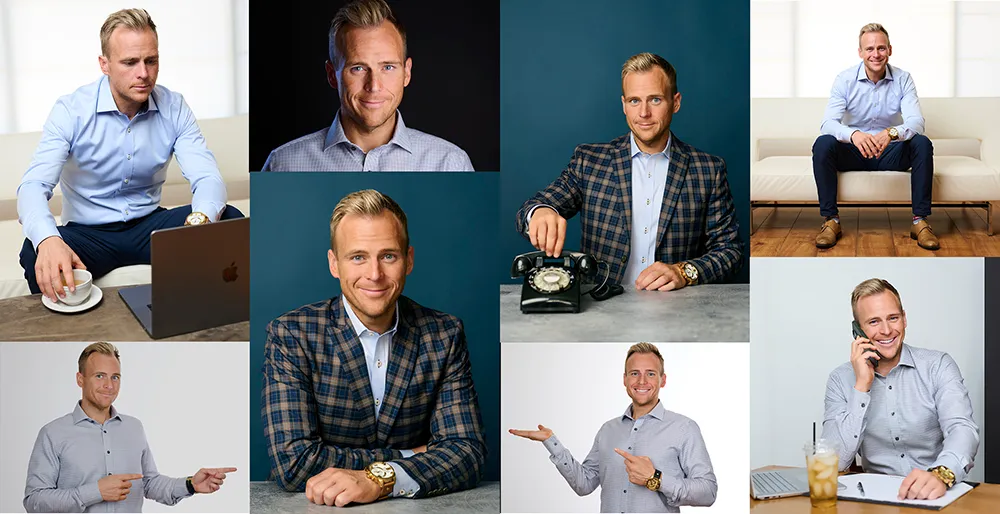
What Kind of Photos Do You Actually Need for a Personal Brand Shoot?
More than a headshot, less than a stock library. Here is the real mix of images a personal brand shoot should give you: working shots, different looks, props, and a signature color that ties the whole set together.

Tips & Guides
AI Headshots vs. a Real Photographer: What Are You Actually Paying For?
AI headshots, a quick CVS-style photo, or a real photographer? The difference isn't just quality. Here's what you're actually paying for, and walk out with.
